Best SaaS onboarding software in 2025: 9 top picks.



Imagine this: you’ve launched a powerful SaaS product and want every new user to experience value within minutes. It's no secret that your user onboarding strategy drives retention and revenue—so the stakes remain high.
We know that building flows from scratch can feel overwhelming. Choosing the right tool often feels like searching for a needle in a haystack, especially when many platforms tout similar capabilities.
This guide outlines the leading SaaS onboarding tools across three key categories, so you can select the best match and skip endless review-site comparisons.
What is new and different in 2025
In 2024 many SaaS onboarding software platforms added AI features on their back-end to simplify onboarding (tours, cards, hints) or user feedback (surveys, feedback forms) generation.
In 2025, some platforms such as UserGuiding or Product Fruits shifted towards AI self-help with support assistants or copilots capable of handling 50%+ user requests without human intervention, as well as privacy-first data handling.
Buyers now evaluate vendors not only on feature depth but also on real case-study backed benefits, time-to-value and SOC-2 readiness.
Launch an onboarding guide for your users today, try Product Fruits for free! ✨
1. Interactive Product Tours & Walkthroughs
Interactive tours highlight “aha” moments inside the product and shorten onboarding time. In 2025, vendors pair no-code editors with event-based triggers and AI-generated copy to keep authoring fast and targeted.
#1: Product Fruits 🍇
Product Fruits is an all-in-one onboarding platform combining tours, surveys and announcements at a competitive price.

Teams can build personalized flows, educate users on releases, collect in-app feedback and analyse adoption—without code.
- AI-assisted tours generate steps and copy automatically.
- Hints, hotspots and a life-ring widget surface help at the exact moment of need.
- Newsfeeds, banners and pop-ups nurture ongoing engagement.
- New AI support Copilot greatly expands existing in-app self help and support capabilities
Pros
- Branding options and WYSIWYG editor suit non-technical teams.
- Templates cover most common SaaS use-cases.
- Supports mobile and web flows across major browsers.
- Offers extensive in-app messaging, feedback and support tools
- Affordable, fair pricing and top human support (as confirmed by G4 reviews)
Cons
- Advanced product analytics require a third-party integration.
Pricing
Plans start at $96 per month; enterprise quotes are available on request.
#2: Userpilot
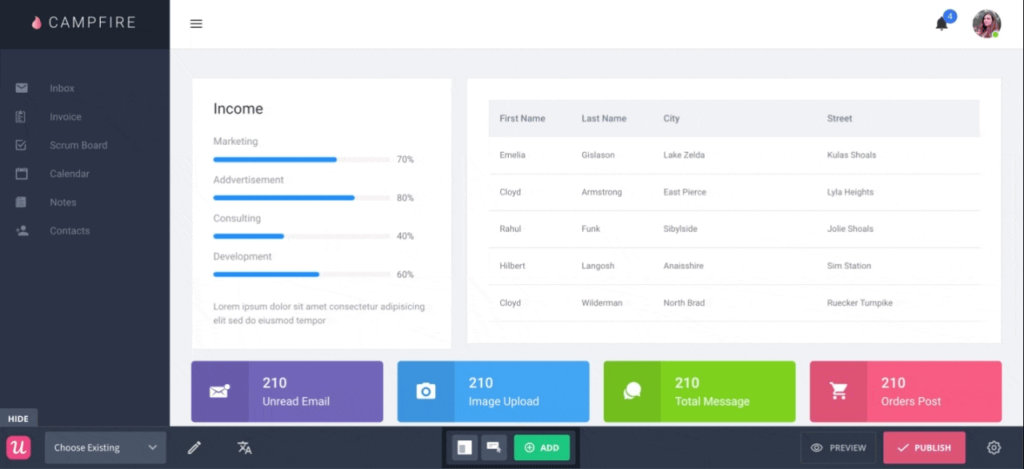
Userpilot blends in-app experiences with product analytics and feedback, enabling granular segmentation and data-driven optimisation.
Features
- No-code builder for modals, tooltips and checklists.
- Powerful audience rules based on events, roles and lifecycle stage.
Pros
- Rich experimentation suite supports A/B testing.
- Strong help-center integration for contextual articles.
Cons
- Learning curve can be steep for smaller teams.
- Entry plan starts at $249 per month.
Pricing
Three paid plans begin at $249 per month.
#3: Userlane
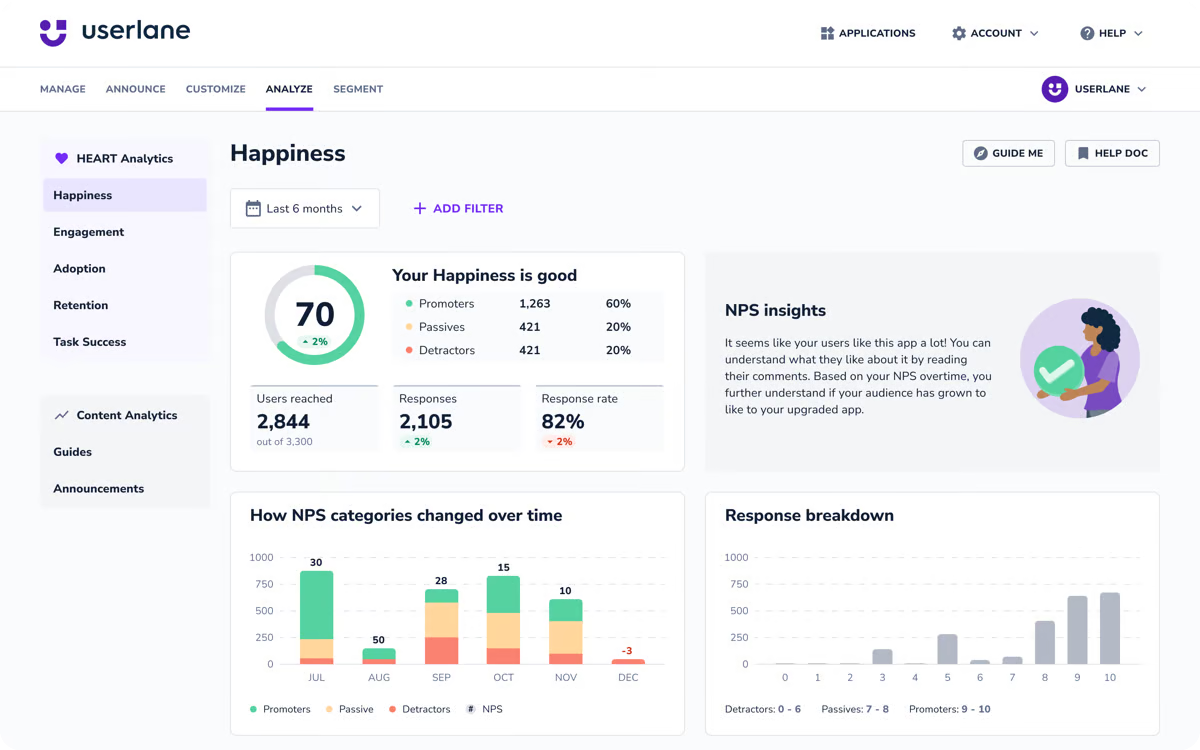
Userlane focuses on real-time, step-by-step guidance and on-demand support inside complex enterprise software.
Features
- Multi-language support and global localisation.
- Integrates with leading CRM and HR platforms.
Pros
- No-code guide builder; fast to deploy.
- Scales well across large user bases.
Cons
- Design customisation is limited.
- Routine maintenance is needed as UI changes.
Pricing
Custom pricing on request; free trial available.
#4: Inline Manual
Inline Manual targets product and support teams that need granular permission controls and versioned guidance across web apps.
Its Chrome extension lets creators capture screens, add hotspots and push updates without engineering assistance.
Features
- Branching tutorials adapt to user roles and previous actions. Oriented towards employees as well.
- Team workspace supports review, approval and localisation workflows.
Pros
- Strong version control for regulated industries.
- Pay-as-you-go pricing can suit startups.
Cons
- Limited native analytics; relies on third-party BI tools.
- Limited AI features
Pricing
Usage-based plans start at $158 per month for 250 MAUs with extensive scaling and enterprise SLAs available.
2. In-app Onboarding Software
In-app onboarding tools deliver contextual guidance right inside the product—banners, tooltips and checklists triggered by real-time events. They help users complete key actions without leaving the interface.
In 2025, leading vendors combine behavioural targeting with AI-generated copy, reducing authoring time by up to 55 %. Security is also front-of-mind: ISO 27001 certification has become a default buyer requirement.
Case study: HR platform HiHire cut support tickets 24 % after swapping static help docs for event-based banners and an in-app resource hub.
In-Ap SaaS Onboarding: Product Fruits
Product Fruits lets teams build announcements, tours and checklists that launch at precise moments. Targeting can be refined by attributes, behaviour or custom events, ensuring messages stay relevant.
Writers can use built-in AI to draft copy and overcome “blank page” syndrome, while a drag-and-drop editor keeps technical overhead low.
Pros:
- AI copy assists non-writers;
- supports newsfeeds, banners and pop-ups in one interface;
- offers template library.
Cons:
- Native analytics cover basics;
- deeper funnels still require a third-party BI tool.
#5: Appcues
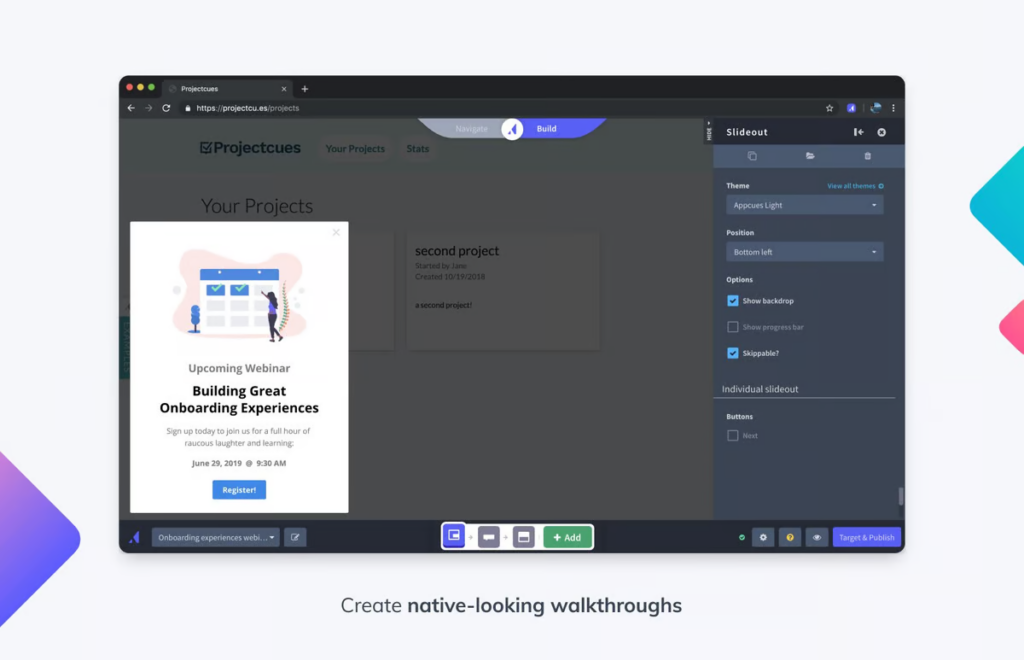
Appcues focuses on no-code personalisation. Its flow builder supports modals, slide-outs and tooltips that adapt to user segments or milestone events.
Robust A/B testing enables teams to validate hypotheses quickly, while Appcues Studio offers granular styling options for brand consistency.
Pros:
- Intuitive drag-and-drop UI;
- strong experiment workflow;
- broad ecosystem of integrations.
Cons:
- Advanced styling sometimes needs CSS tweaks;
- starting price ($249 / mo) can deter small teams.
#6: Whatfix
Whatfix positions itself as a digital-adoption platform for complex enterprise workflows. Its in-app layers guide users through multi-step processes and surface contextual FAQs.
A 2024 IDC report ranked Whatfix top-three for multilingual support, a key differentiator for global roll-outs.
Pros:
- Deep analytics tie walkthroughs to performance KPIs;
- supports desktop, web and mobile.
Cons:
- Feature breadth creates a steeper learning curve;
- pricing only via custom quote.
#7: Pendo
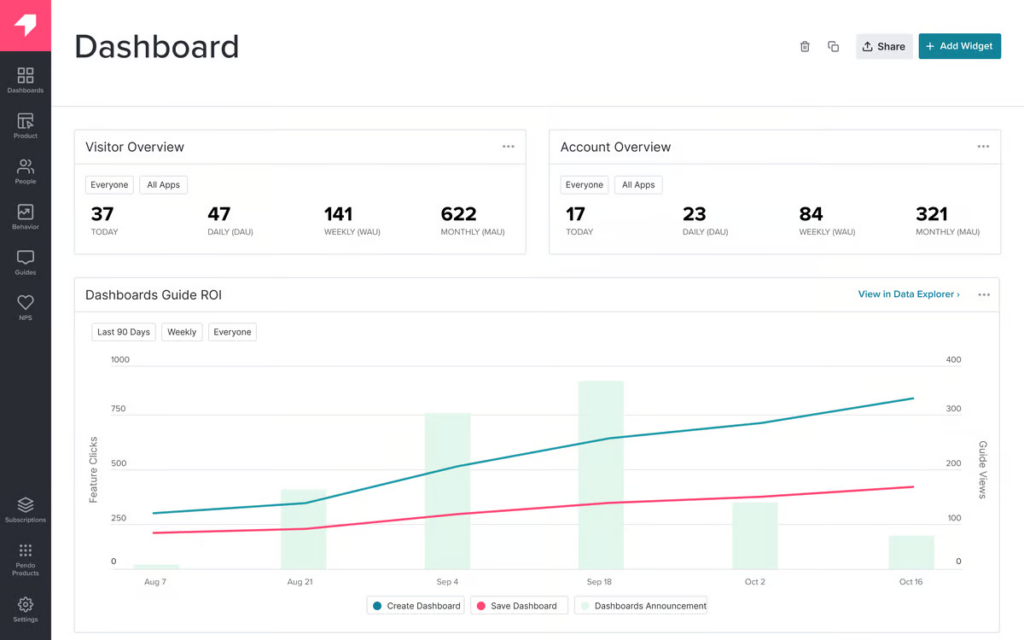
Pendo blends in-app guidance with powerful product-usage analytics. Its AI “Smart Guides” suggest optimal tour steps based on historical behavioural patterns.
The platform also supports NPS surveys and feedback polls, letting teams correlate sentiment with feature adoption.
Pros:
- Unified view of qualitative and quantitative data;
- 75-language localisation engine.
Cons:
- Feature depth can overwhelm new users;
- pricing is undisclosed and often premium.
3. AI SaaS Onboarding Self-Help
AI self-support assistants combine large-language-model reasoning with techniques like RAG to minimize risk of hallucinations and product-usage data to answer questions, surface contextual tips and automate ticket deflection. These AI copilots or assistants reduce pressure on support teams while giving users instant, personalised help inside the app or help centre.
Below you’ll find a selection of leading offerings—each with an AI layer purpose-built for SaaS support. Evaluate their data-privacy posture and integration depth before rolling one out.
AI SaaS Self-Help Tool: Product Fruits Copilot
Product Fruits Copilot turns your knowledge base or other content you provide (blog article, support documentation) into AI support conversations that appear right where the user is working.
Copilot has been able to handle more than a half of all user support queries without human intervention in pilot implementations and some Product Fruits customers are using it to run their SaaS support completely on AI + email. E
Features:
- Naturally appears in support chat window of life-ring button in-app self help center
- Retrieves answers from existing knowledge base content or any public URL
- Transfers conversations to human support automatically (if needed) or on user request.
<span class="llm-added">Pros:
- No extra knowledge-base tool needed—runs on content you already maintain.
- Set it up in minutes with existing knowledge base (or other) content.
- GDPR-ready hosting in the EU.
Cons:
- Ability to use gated content will be added in Q3-25
- Tours/guides launching and on-demand generation not yet available
Pricing:
Included in Product Fruits Grow tier ($149 / mo + overage billing for conversation resolutions above monthly allowance) and above; 14-day free trial.
#8: UserGuiding
UserGuiding’s AI Assistant augments its onboarding platform with instant answers and auto-generated step-by-step guides. The assistant sits in a corner widget and presents either text solutions or an interactive flow assembled on the fly.
[caption id="attachment_7627" align="alignnone" width="1024"]

UserGuiding AI assistant (Image: UserGuiding)1[/caption]
Features
- LLM-powered search across articles and public docs.
- One-click creation of a new tour from the answer panel.
- Usage analytics funnelled into UserGuiding Insights.
Pros
- Deeply integrated with existing UserGuiding content.
- Minimal setup—paste one script and train on URLs.
Cons
- Currently English-only; localisation slated for Q4 2025.
- No intent-based tour triggers beyond the generated flow.
Pricing
($174/ mo + overage billing for conversation resolutions above monthly allowance) and above; free trial available.
#9: Chameleon
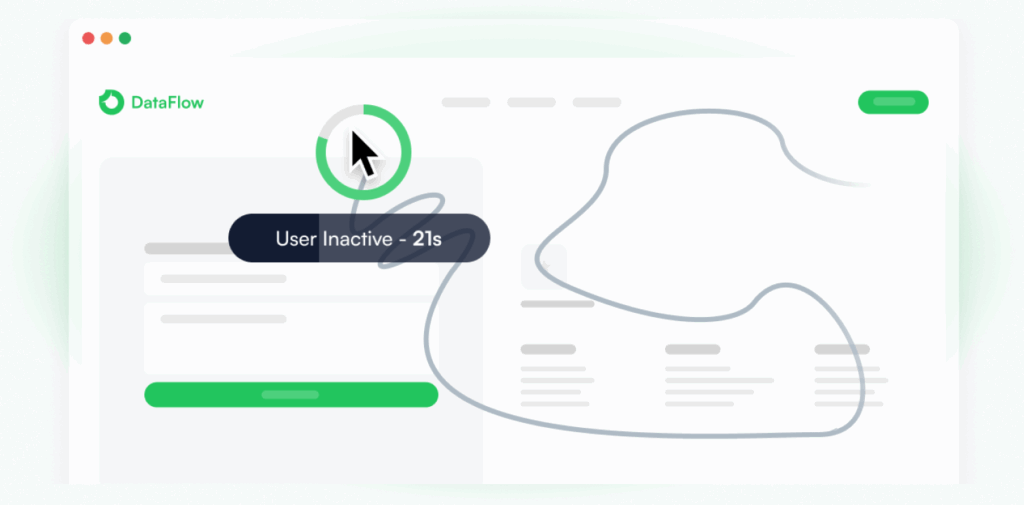
Chameleon HelpBar adds a universal “Cmd / K” search that fetches help articles, shortcut commands and LLM-generated answers. Results can launch a tooltip sequence directly, keeping the experience fluid.
This is not a fully featured AI support assistant, rather and AI augmented functionality for documents and resources provided. However, Chameleon has support for integrating third party AI chabots and provides features such as AI behavioral triggering of support content.
[caption id="attachment_7628" align="alignnone" width="1024"]
Chameleon AI Triggered Content (Image Credit: Chameleon)[/caption]
Features
- Omni-search across docs, changelogs and custom shortcuts.
- AI support chatbots supported from third parties.
Pros
- Provides some other neat AI features such as in-app guidance nudging.
Cons
- Limited multilingual capabilities today.
Pricing
Steeper prcing than competition starting $279 / mo on Growth plan.
Wrap-up: choosing the right SaaS onboarding software
Modern SaaS onboarding software must balance speed, security and personalisation. AI now drafts copy, predicts next-best actions and suggests segments, while SOC-2 or ISO 27001 compliance has become table-stakes for vendor selection.
Teams that pair behaviour-based triggers with continuous testing see activation rates climb by 18 % on average, according to a June 2025 ChurnZero benchmark.
- Essential Features for User Onboarding Software:
- Easy implementation and integration capabilities
- Personalization and user segmentation options
- Interactive guidance tools and walkthroughs
- Comprehensive analytics and tracking
- Multi-platform compatibility
- Important Considerations:
- Scalability and long-term pricing structure
- Security compliance and data protection
- Integration with existing tools (CRM, analytics, support)
- Self-service learning capabilities
- Optimization Features:
- A/B testing capabilities
- Behavior-based triggers and automation
- Customization options for different user segments
- Cross-platform consistency
Effective onboarding hinges on matching tool capabilities to team skills and user expectations. Interactive tours excel at first-run guidance; in-app messaging nudges real-time action; email sequences reinforce habits outside the product.
Evaluate each platform against security needs, data architecture and growth plans. Pilot quickly, measure activation, iterate—and turn sign-ups into loyal customers.


Weekly newsletter
Get the latest releases, tips, articles, and exclusive interviews delivered to your inbox weekly—no spam!