Dark Launch: How to Release Features Safely 101


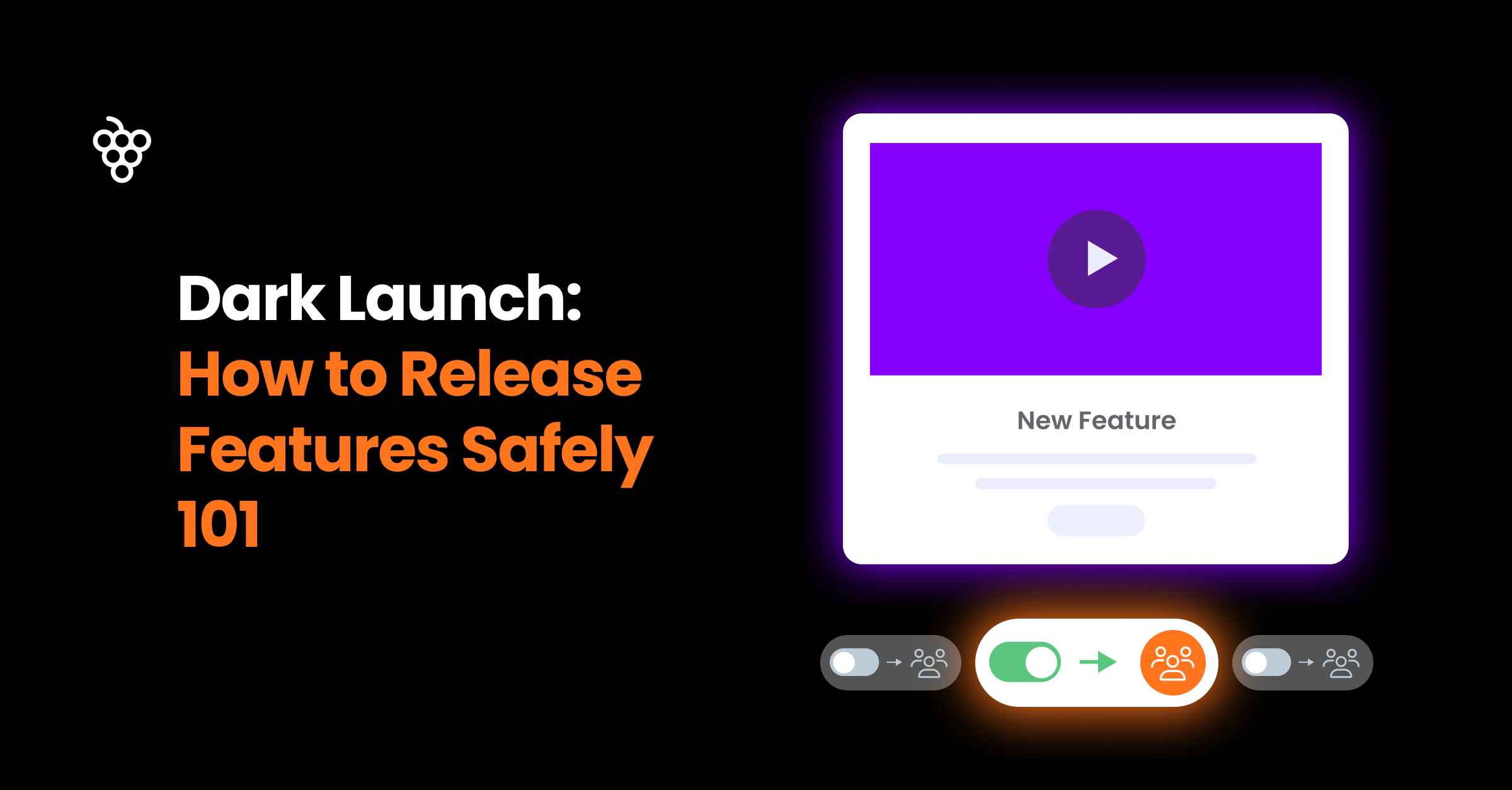
Does 'dark launching' sound a bit vague? Let me illustrate a relatable use case.
Imagine that your team has spent months developing a significant new feature that has been frequently requested. ✨
You’re thrilled to launch the feature for your users, expecting it to be a game-changer. However, this exciting moment could turn disastrous without proper preparation and testing, as many unresolved bugs could lead to a poor user experience.
This is not fiction; communication with feature releases too fast is a real challenge for product managers
According to the Standish Group, only 31% of IT projects succeed without major issues, while 19% end in outright failure. - Chaos Report
So, better be on the safe side.
This is where dark launch comes in handy! Dark launching lets you release new features to a small focus user group before a full, loud rollout—even without their knowledge. 🥷
Reading this guide will teach you
- The definition of dark launches in product development
- how to strategically implement dark launches
- What is the difference between a dark launch and a canary release
- What is the difference between a dark launch and a silent launch
- ROI analysis: Measuring dark launch impact on product metrics and risk mitigation
- and more
Short on time? Sign up for a Product Fruits free trial and launch your new product right away (14 days on us!) 🍇
What Is a Dark Launch? A Comprehensive Definition 🥷
A dark launch is a new product or feature release strategy in which new features are released to a carefully defined subset of your users in a production environment while hiding the new feature from the rest of the user base. This controlled rollout allows developers to test feature performance, gather user feedback, and identify potential issues before a full release while minimizing risk to the broader user base. Dark launches differ from traditional releases by enabling real-world testing without affecting the main user experience.
Key Characteristics of Dark Launches
- Selective Visibility: Features are visible only to specific users—internal teams, beta testers, or selected customer segments.
- Live Testing: Teams can evaluate feature performance and user experience in real-world conditions.
- Iterative Improvement: Early user feedback guides refinements before a wider release.
How to Implement Dark Launches: 7 Strategic Steps for Enterprise Success
The launching process typically varies by organization. Most will include at least the following five steps.

1. Align with Business Objectives
Start with clear business outcomes. Are you validating a premium feature for enterprise clients or testing scalability for high-volume customers? Your objectives should relate directly to revenue, retention, or strategic positioning.
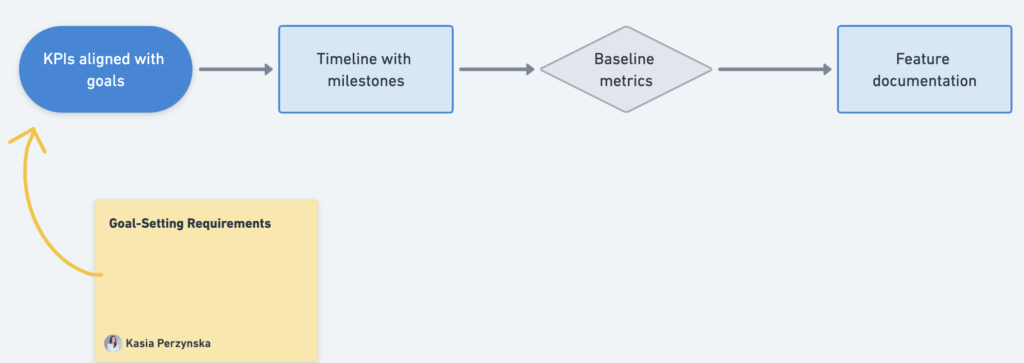
Before launching, establish:
- Specific, measurable KPIs that directly connect to each business goal
- A detailed timeline with clear evaluation milestones
- Baseline metrics to effectively measure impact
- Clear documentation showing how features address specific customer needs
For instance, when rolling out a new API integration feature, focus on measuring integration success rates and time-to-value for your top-tier clients. Track these against your established baselines to demonstrate real business impact.
2. Implement Sophisticated Feature Management
Advanced Feature Management Strategy
Implement sophisticated feature flagging for precise control over your rollouts. Here's how:
- 🎯 Multi-tiered Deployment: Expose features strategically based on:
- Customer segments
- Usage patterns
- Contract values
- 🔍 Monitoring & Control:
- Real-time performance tracking and alerting
- Role-based access management
- ♻️ Lifecycle Management:
- Regular flag cleanup to prevent technical debt
- Progressive rollout capabilities
This comprehensive approach enables sophisticated A/B testing and targeted enterprise rollouts while maintaining system stability and control.
3. Strategic Cohort Selection
Select beta participants based on strategic value and risk profile. Identify customers who represent your ideal future state - pushing your product to its limits and providing sophisticated feedback. Consider creating a formal beta council from your advisory board members, ensuring representation across different industry verticals for diverse perspectives.
To maximize the value of your beta program, establish clear engagement guidelines and a structured onboarding process for council members. Track participation metrics like feedback quality and frequency to maintain high engagement levels.
"We prioritize customers who have a track record of driving product innovation and can articulate the business impact of new features. Their feedback often shapes our enterprise roadmap." - VP of Product, Fortune 500 SaaS Company
This comprehensive approach enables sophisticated A/B testing and targeted enterprise rollouts while maintaining system stability and control.
4. Structured Feedback Loops
Establish formal feedback channels that align with enterprise workflows. Rather than ad-hoc Slack channels, implement structured feedback sessions with key stakeholders, including quarterly business reviews and dedicated product council meetings. Document feedback systematically to inform your product strategy.
5. Value-Based Engagement Model
Move beyond simple incentives. Offer strategic value such as priority feature requests, dedicated support resources, or early access to future beta programs. Consider creating an exclusive product advisory board for your most engaged enterprise customers.
6. Enterprise-Grade Analytics
Focus on metrics that matter to enterprise customers: system reliability, integration success rates, workflow efficiency gains, and ROI measurements. Use advanced analytics to track user journeys across complex enterprise workflows, identifying optimization opportunities at scale.
7. Risk Management Framework
Develop a comprehensive risk assessment and mitigation strategy. Include clear rollback procedures, SLA guarantees, and communication protocols for enterprise customers. Establish threshold metrics that trigger automatic feature disablement if critical performance indicators are breached.
Dark Launches vs. Feature Flags: What's the Difference?
Dark launches and feature flags are often connected with different purposes. Feature flags are a broader tool that can power dark launches, A/B testing, and user segmentation. Dark launches specifically focus on controlled feature rollouts.
Here's a deeper explanation of dark launches and feature flags
- Feature Flags as Infrastructure: Feature flags are the technical implementation that enables various deployment strategies, including dark launches. They act as switches that can turn features on/off for different user segments.
- Dark Launch Characteristics:
- Focuses specifically on controlled feature rollouts
- Allows selective visibility to specific users
- Enables live testing in production
- Facilitates iterative improvements based on user feedback
- Practical Applications: While dark launches are specifically for controlled rollouts, feature flags have broader applications, including:
- A/B testing different versions
- User segmentation
- Gradual feature deployment
- Risk mitigation through controlled exposure
This strategic approach to deployment helps teams validate features in real-world conditions while minimizing risk to the broader user base.
Here's an example of using a feature flag to show a new feature to specific users ⬇️
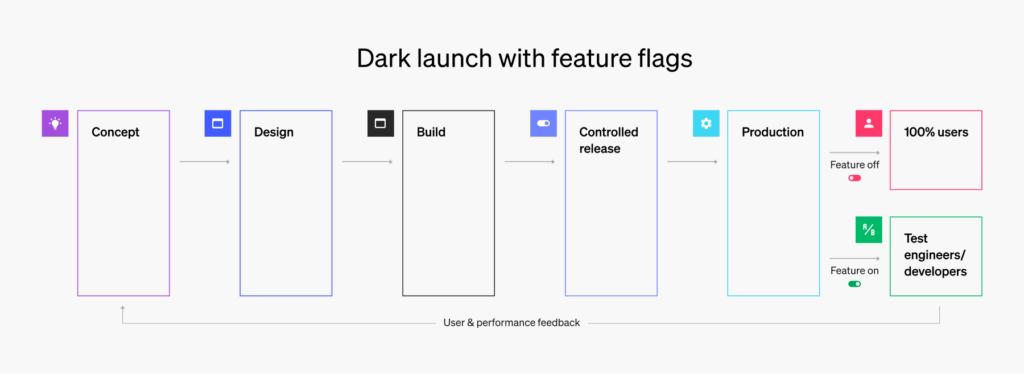
Contrast this higher-risk approach with dark launching, which lets you test new features on a subset of your users instead of 100%. Just switch the feature toggle to “on” and assess the terrain one step at a time. There's no better way to know what works than to run real experiments with real users. Dark launching thus enables the kind of iterative, continuous approach seen in modern software development. — Launch Darkly
Dark Launches vs. Soft Launches: What's the Difference?
A soft launch releases a product or feature to a limited public audience—such as a single city—to test market response and gather feedback. In contrast, a dark launch deploys hidden features, focusing on backend testing and performance refinement before public release.
Consider these examples: A food delivery app might soft launch its "scheduled orders" feature in Austin, Texas, gathering real user feedback before rolling out nationwide. For a dark launch, a streaming platform might deploy a new recommendation algorithm visible only to internal employees and select users while testing technical stability.
Here's a clear comparison of when to use each launch strategy
Soft Launch is best used when you need to:
- Test market response and gather real user feedback
- Release to a specific geographic area or limited public audience for initial validation
- Understand how real customers interact with your feature in a controlled environment
Dark Launch is preferable when you need to:
- Focus on backend testing and technical performance
- Test with internal teams and select users only
- Validate technical stability before any public exposure
For example, a soft launch in a single city would be appropriate if you're launching a new food delivery feature that requires testing real customer behavior and market acceptance. However, a dark launch would be better if you're implementing a complex backend algorithm that needs technical validation without public exposure.
Dark Launches vs. Canary Releases: What's the Difference?
While dark launches and canary releases aim to reduce risk in feature rollouts, they serve different purposes. Dark launches focus on refining usability and performance in controlled conditions, such as when Netflix tests a new recommendation algorithm with internal staff.
Canary releases, by contrast, focus on scalability and system stability. Think of a gaming app rolling out a new multiplayer server to 5% of users to monitor infrastructure load and ensure stability before wider deployment.
AspectDark LaunchCanary ReleaseVisibilityLimited to specific users or teamsReleased gradually to a percentage of usersObjectiveTest feature functionality and user experienceVerify system stability and scalabilityUser GroupInternal teams, beta testers, or selected user segmentsRandom sample of general usersExampleTesting a new enterprise dashboard with power usersDeploying new servers to 5% of traffic
Why Use Dark Launches? 🤔
- Validate Usability: Test features with real users in a controlled environment to ensure they work as intended and meet user expectations. This allows teams to gather authentic usage data and identify potential usability issues.
- ⏳ Identify Issues Early: Catch bugs, performance problems, and technical issues in a controlled setting before they can impact your broader user base. This proactive approach reduces the risk of widespread problems during full release.
- 🌀Optimize Based on Feedback: Refine features using real-world insights before full release. This iterative approach allows teams to make data-driven improvements to functionality, performance, and user experience.
- 🦮 Minimize Risk: By limiting exposure to a select group of users, dark launches provide a safety net for testing major changes or complex features without risking the stability of your main product.
- 🧦Cost-Effective Testing: Identify and fix issues early in the development cycle when changes are less expensive and easier to implement than addressing problems after a full public release.
Here’s why founder of Technolynx, uses dark launches:
“We introduced a new analytics dashboard to a select group of users, allowing us to refine the user interface based on real-world usage before a full rollout. We opted for a dark launch to mitigate risks associated with public releases. By limiting exposure, we could gather feedback and iterate on our features without the pressure of public scrutiny. ”
The approach helps product managers validate usability, catch bugs, and incorporate feedback early without risking a poor experience for the broader audience.
How Product Fruits Streamlines Dark Launches
Imagine a product manager at a SaaS company rolling out a new feature, and you want to test it with your clients before an entire release. Here’s how Product Fruits can make your dark launch successful:
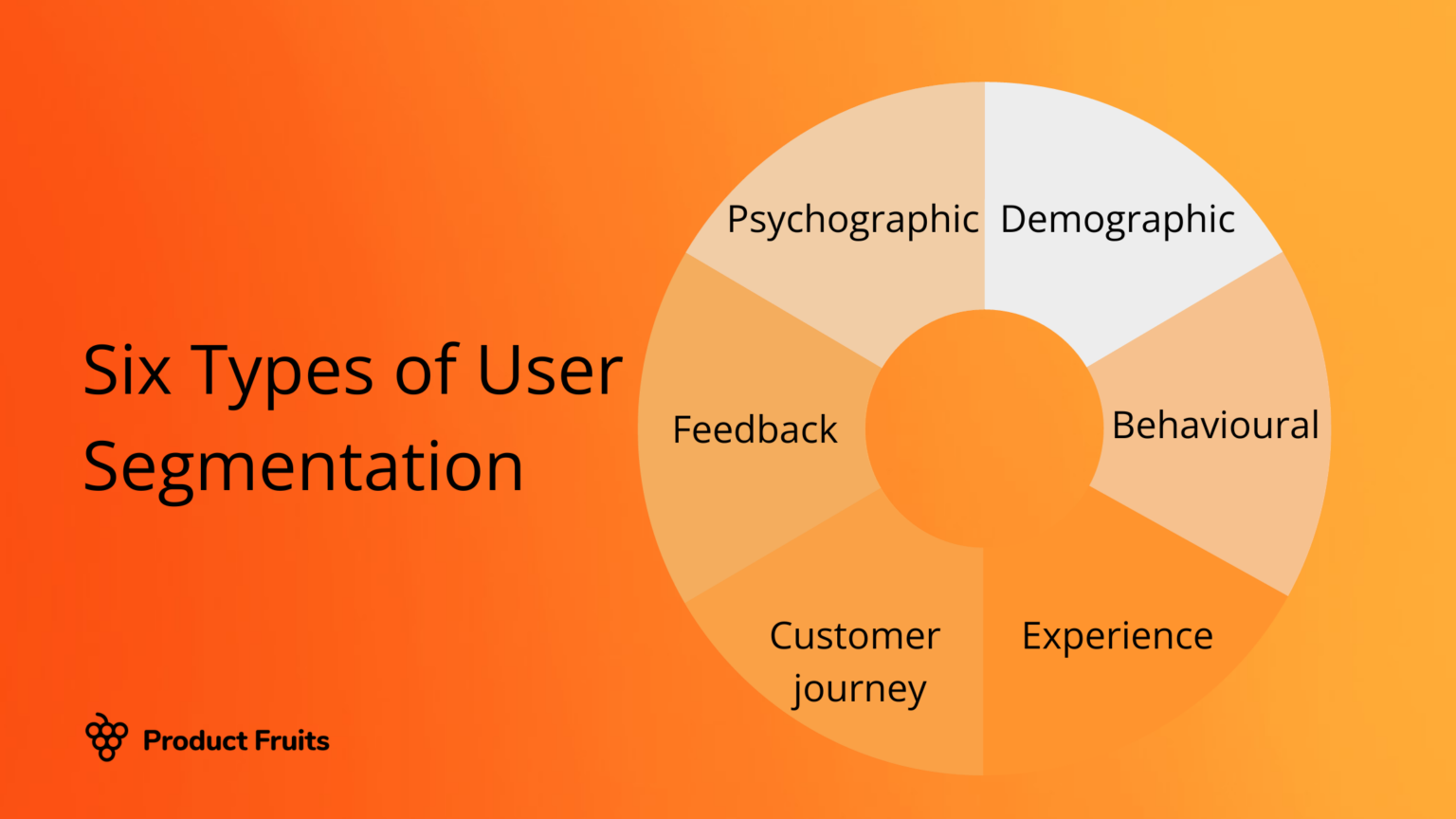
Target the Right Users Accurately.
Using advanced segmentation, Product Fruits ensures your feature reaches only the intended audience, such as analytics-focused enterprise clients. This targeted release helps refine the tool based on meaningful insights.
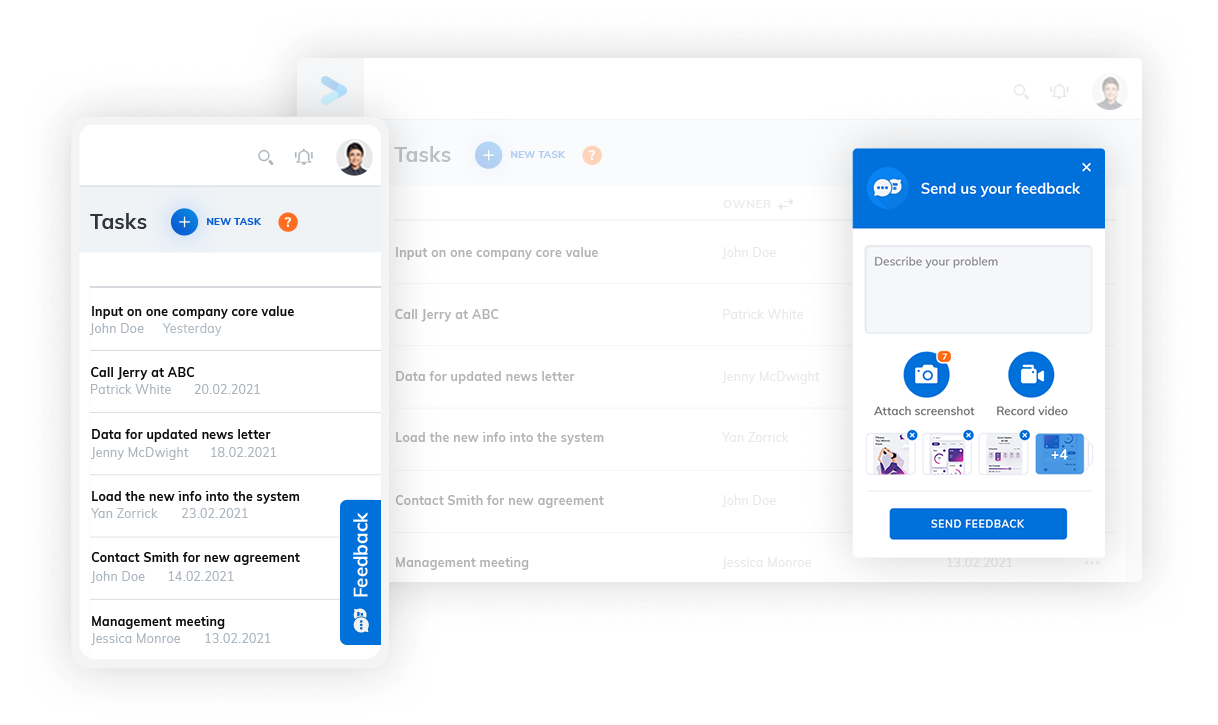
Gather Instant Feedback
You can use our in-app feedback widget embedded in the feature to let users share suggestions in real time. For example, if a client recommends adding trend lines to charts, you can prioritize the enhancement before the full rollout.
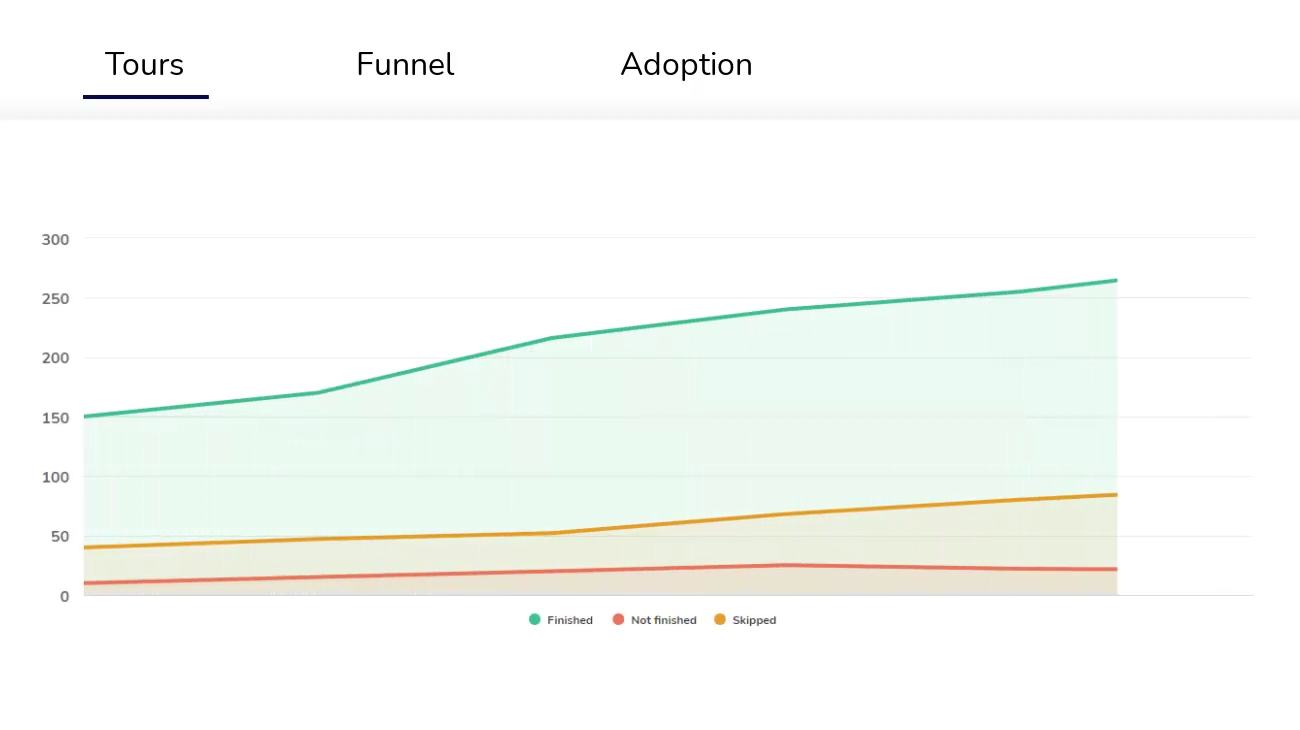
Analyze User Behavior and Onboarding Success
Product Fruits’ analytics reveal user friction points, such as difficulties during data upload. With this data, your team can simplify workflows and improve user experience.
Communicate Directly Within the App
Thanks to in-app messaging, Product Fruits can help you guide users effectively with hints and tooltips. A well-timed popup might nudge users toward exploring advanced features, increasing engagement and satisfaction.

💡Check out our cheat sheet to create your first onboarding flow
Execute a Successful Dark Launch Today
Dark launches are not just a safety net but a strategic advantage. By testing features in live environments with carefully selected groups, teams can refine their offerings while avoiding costly missteps.
For product managers, the choice isn’t whether to adopt dark launches but how to implement them effectively. You can transform your feature rollouts into a low-risk, high-reward endeavor with clear objectives, thoughtful cohort selection, and the right tools.
What’s the right tool, you ask? Of course, it’s Product Fruits! You can use our suite of features to create the perfect user onboarding journey for your beta testers so that you can iterate and execute your launch successfully.
FAQ – Dark Launch: How to Release Features Safely 101
1. What is a dark launch?
A dark launch is a release strategy where you ship a new feature into production but show it only to a carefully selected subset of users (or internal teams), keeping it hidden from everyone else. This lets you test performance, behavior, and UX in real conditions while minimizing risk to your broader user base. productfruits.com
2. How is a dark launch different from a soft launch or canary release?
A soft launch exposes the feature to a limited public audience (e.g., one country or city) to test market response. A canary release gradually rolls out the feature to a small percentage of all users to verify system stability and scalability. A dark launch keeps the feature hidden and targeted, focusing on functionality and UX with selected users or internal groups before any public exposure. productfruits.com
3. Why should my team use dark launches?
Dark launches help you validate usability, catch bugs early, optimize based on real feedback, and significantly reduce the risk of a problematic “big bang” release. Because only a small, controlled segment sees the feature, you can iterate quickly without harming the experience of your entire customer base. productfruits.com
4. What do I need in place to run a dark launch effectively?
You’ll need robust feature management (feature flags), clear business objectives and KPIs, thoughtful cohort selection, structured feedback loops, strong analytics, and defined rollback and risk-mitigation procedures. Together, these let you switch features on/off for specific segments, measure impact, and react quickly if something goes wrong. productfruits.com
5. Are dark launches the same thing as feature flags?
No. Feature flags are the underlying technical mechanism (on/off switches) that let you control who sees what. A dark launch is a specific strategy that uses those flags to run controlled, low-risk rollouts to selected users in production. productfruits.com
6. How can Product Fruits help with dark launches?
Product Fruits supports dark launches by helping you:
- precisely target the right user cohorts,
- collect in-app feedback directly on the new feature,
- analyze user behavior and friction points, and
- communicate via in-app messages, hints, and tooltips to guide beta users.
This makes it easier to design, iterate, and then scale a successful full rollout
Are you ready to transform your approach to product launches? Whether you are launching Darkly first or not, start your free trial with Product Fruits today—14 days are on us!


Weekly newsletter
Get the latest releases, tips, articles, and exclusive interviews delivered to your inbox weekly—no spam!