Best Product Tour Software Tools List for 2025


Great onboarding starts with the right tools for creating product tours in software applications - the best product tour software. The best tools combine no-code creation, data-driven targeting, and clear analytics. They help users see value fast and reduce support load.
Whether you are new company in the startup world or a seasoned player, user onboarding is crucial for your product's success. If the onboarding process is too complex, 74% of potential customers will jump ship to a competitor as SalesForce State of the Connected Customer stats show.
Digital adoption solutions offering features like product tours are becoming norm, just as Gartner predicted few years ago: “By 2025, 70% of organizations will use digital adoption solutions across the tech stack.”
In 2025, teams expect AI-assisted setup and onboarding content creation, privacy-aware tracking, and strong integrations. This guide highlights market shifts, then reviews ten leading onboarding tools with pros, cons, and pricing notes.
2025 trends shaping product tours
- AI generates first-draft tours, messages, and checklists from your UI, cutting build time.
- Event-based targeting and server-side data improve accuracy without heavy client scripts.
- Stronger analytics connect tours to activation, adoption, and user retention.
- Easy localization necessary to reach international audiences is becoming the norm and, as Forrester predicted in 2024, GenAI and LLMs make it even easier, as they can use resources such as a knowledge base in one language to answer in many other languages.
Eventually, AI will learn to know your product (SaaS) and AI powered agents will be able to create tours, hints, and other onboarding and support content on the fly, individually for each user. Enterprises using GenAI are rapidly moving to AI agents: 25% will deploy agentic AI in 2025, rising to 50% by 2027 according to Deloitte.
Are you ready to skip the reading and jump into creating your user onboarding flow with AI generated tours or surveys and AI Support Copilot? Start a free trial with Product Fruits. 🍇
10 Best Product Tour Software Tools List for 2025
We evaluated tools on ease of setup, targeting depth, analytics quality, performance, security, advanced AI features and price fairness. Each vendor suits different stages, from seed-stage SaaS to enterprises with strict compliance.
Use the criteria below to shortlist. Then scan individual solution profiles for screenshots, pros, cons, and pricing. Keep your onboarding goals front and center while reading.
- Speed to value: Can non-technical teams ship guided tours in hours?
- Targeting: Does it trigger by behavior, role, or lifecycle stage?
- Analytics: Can you attribute tours to activation and retention?
- Scale and security: SSO, SAML, SOC 2, GDPR, and performance at high MAU.
1. Product Fruits 🍇
Product Fruits is an all-in-one user onboarding platform trusted by over 1200 companies worldwide, with hundreds using it to drive product-led growth.

Comprehensive suite covers everything from product tours and onboarding tools to in-app messaging to customer surveys. As a pioneer of AI-powered onboarding, support, and analytics - Compared with many basic tour modules, Product Fruits completes the job in minutes. 🚀
https://vimeo.com/948405524
Furthermore, our content map allows you to manage all your product adoption content, ensuring an optimal onboarding experience for your users.
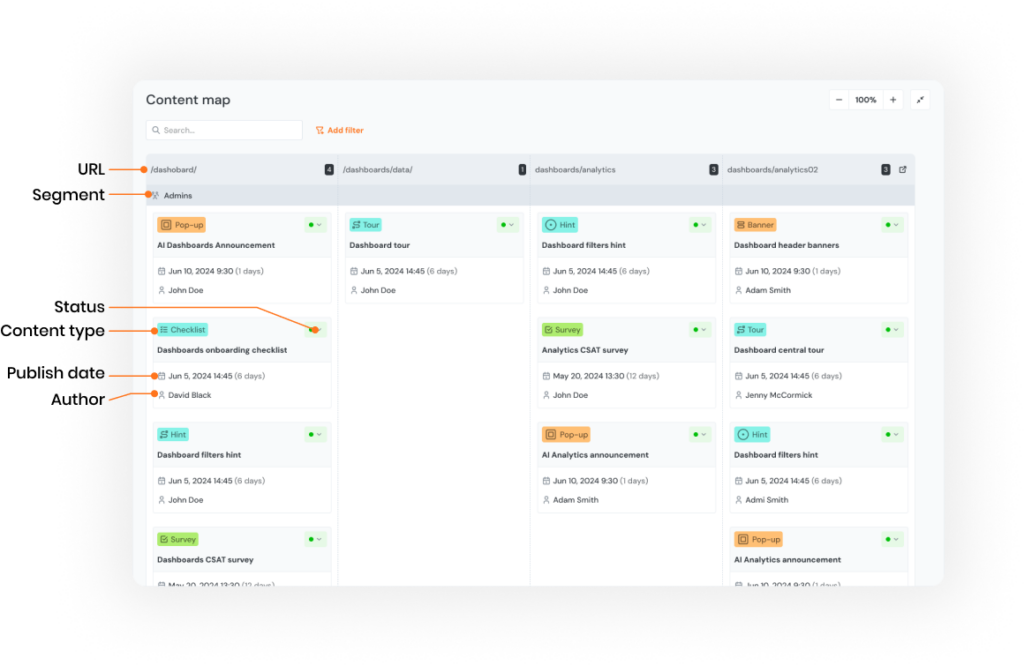
Design your onboarding flows with advanced user segmentation, incorporate onboarding checklists or tooltips tailored to the user journey, and provide a 24/7 help widget with AI Support Copilot for instant user self-help and assistance that solves 50%+ user queries without human support intervention.

Strenghts of Product Fruits
- All-in-one platform. Covers tours, checklists, tooltips, in-app messaging, surveys, easy integration with likes of Hubspot as well as built-in onboarding content analytics in one place
- AI assistance. AI-powered onboarding and Support Copilot speed setup and can deflect a large share of questions.
- Fast time to value. Claims setup “in minutes,” helpful for lean teams that need quick wins. and easy Content governance. A central content map helps manage and maintain all onboarding assets.
Limitations of Product Fruits
- Advanced analytics may require use of third party platforms or tools.
- Currently supports mainly mobile browsers, native mobile support coming.
Product Fruits is Best For
Startups and scale-ups that want an all-in-one, AI-assisted onboarding suite (tours, checklists, tooltips, help widget) with fast time-to-value.
Product Fruits Pricing
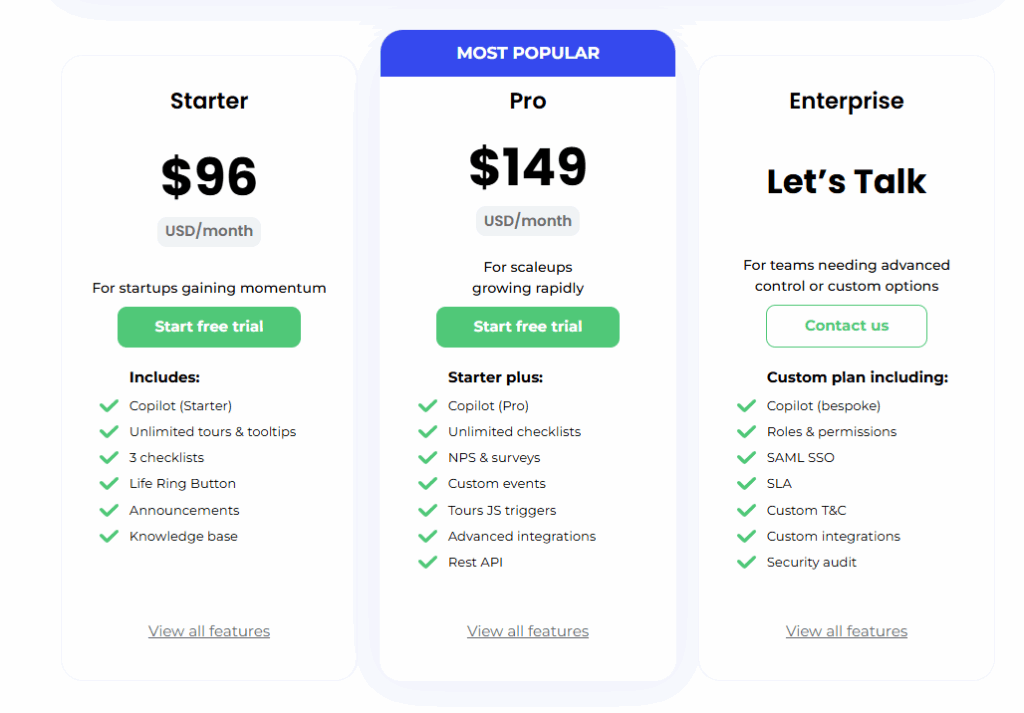
Product Fruits offers the following pricing tiers for the annual subscription: the Starter package at $96 monthly (billed annually) and the Propackage at $149 monthly (billed annually). This structure provides access to all essential features as well as advanced features like Support AI Copilot without breaking the bank. For detailed pricing information, please refer to our website.
Sign up for a 14-day free trial with Product Fruits. It's the perfect way to learn about our capabilities through hands-on exploration.
2. Appcues
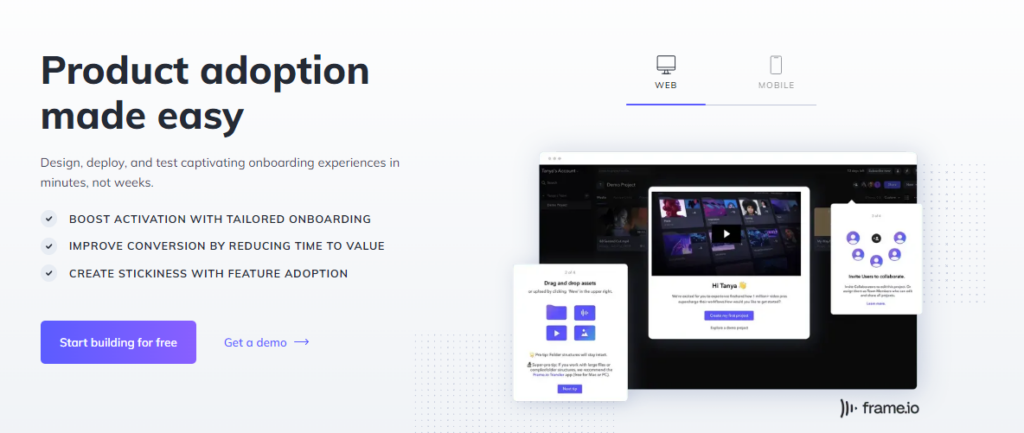
Appcues is a no-code product experience platform. It lets teams build personalized onboarding flows, tooltips, surveys, and product tours. Its focus is user onboarding and engagement, with strong in-app customization.
Strengths of Appcues
- Customization and personalization. Offers many UI patterns—slideouts, modals, tooltips, and hotspots—so you can design experiences that match your brand.
- Detailed analytics. Tracks engagement and funnels to show what works, enabling optimization and data-driven decisions.
Limitations of Appcues
- Limited messaging/support. Great for guides, but it lacks the conversational features of dedicated support tools.
- Learning curve. No code is required, yet the rich options can take time to master.
- May be too much for small teams. Mid- to large-team focus can mean paying for features you do not use.
Appcues is Best For
Product teams that need polished, highly customizable in-app experiences and templates for web/mobile onboarding.
Appcues Pricing
Appcues is priced in line with other premium product tour software, and may not suit all small and medium-sized businesses (SMBs).
3. Userpilot
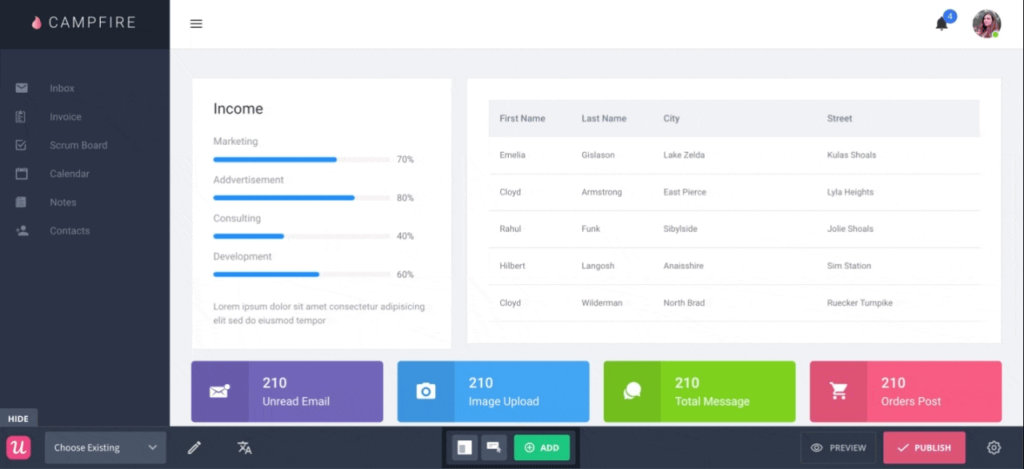
Userpilot is a user onboarding platform for product, customer success, and marketing teams. It boosts activation and adoption with personalized in-app guidance -tours, tooltips, checklists, and surveys - built and launched directly inside your product
Strengths of Userpilot
- Behavioral targeting. Advanced segmentation triggers experiences based on user behavior, attributes, and in-app actions.
- No-code builder. An intuitive interface lets non-technical teams create and manage in-app experiences without coding.
Limitations of Userpilot
- Design limits. Customization for modals, tooltips, and banners is more constrained than some alternatives.
- Light analytics. Engagement metrics are available, but reporting is simpler than in analytics-heavy platforms.
Userpilot is Best For
Teams prioritizing behavior-based targeting and rapid no-code iteration across tours, tooltips, and checklists.
Userpilot Pricing
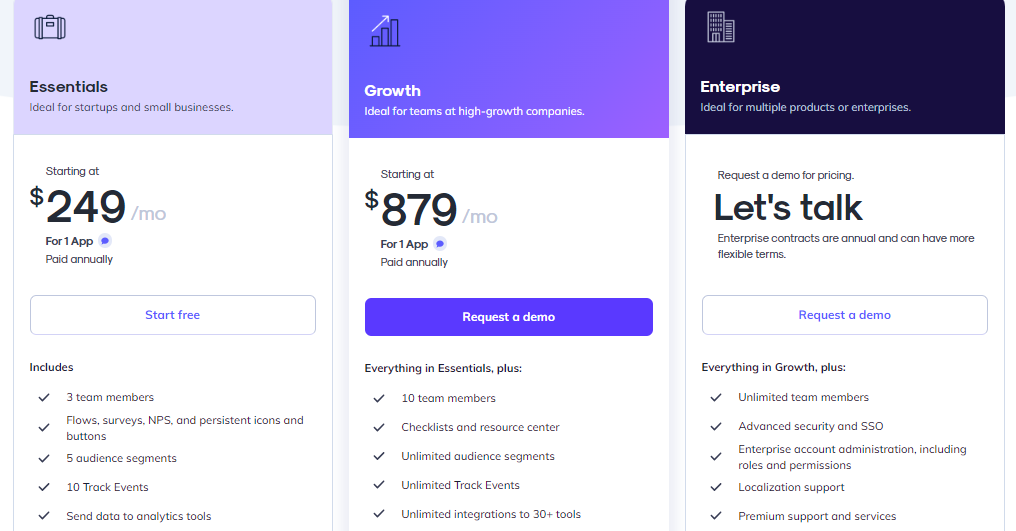
Starting at $249 per month, the higher pricing tier is typical for its category.
4. Pendo
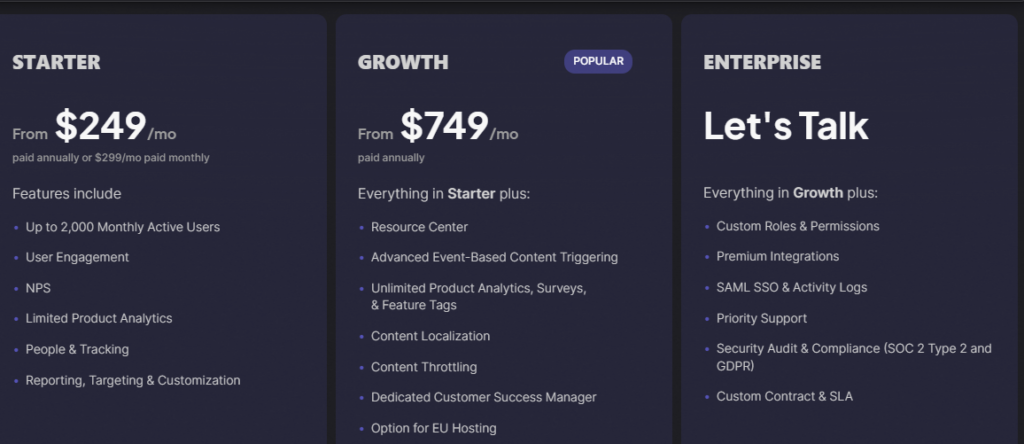
Pendo is a product analytics and onboarding platform. It helps teams understand behavior, improve adoption, and drive engagement. You can ship in-app messages, guides, and surveys, then analyze impact. Product, customer success, and UX teams value its strong analytics and flexible setup.

Strengths of Pendo
- Comprehensive analytics. Tracks behavior, feature adoption, and engagement so teams can make data-driven decisions and optimize experiences.
- Rich in-app guidance. Tooltips, walkthroughs, and surveys are built with a no-code interface. Target messages and flows without developer help.
Limitations of Pendo
- Design flexibility limits. Guide styling can be constrained, making fully on-brand visuals harder without custom development.
- Complex journey building. Detailed, multi-step flows and adaptive logic can be cumbersome to configure.
- Data volume constraints. Lower tiers may impose usage caps or sampling, which can miss real-time events at scale.
Pendo is great for:
Enterprises that need deep product analytics tied to in-app guidance to centralize adoption KPIs and feedback.
Pendo Pricing
Pendo uses custom pricing based on Monthly Active Users, required features, and data needs. Contact sales for a quote.
5. UserGuiding
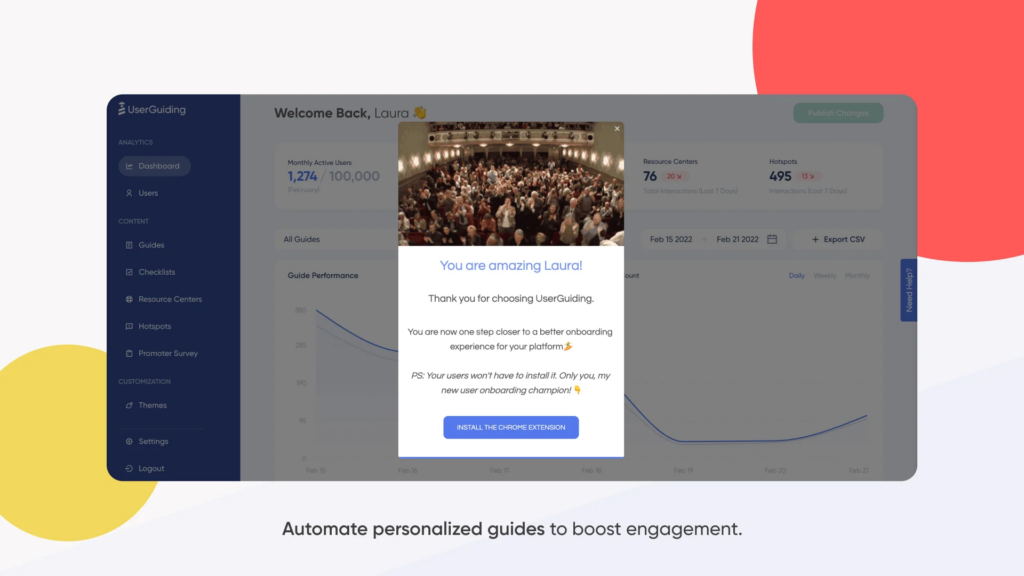
UserGuiding is a no-code product adoption tool. It lets teams build in-app walkthroughs, guides, and checklists without engineering work. Use it to onboard, engage, and retain users through simple, guided experiences.
Strengths of UserGuiding
- Multi-language support. Deliver consistent, localized onboarding for global audiences.
- Behavioral targeting and segmentation. Personalize experiences by user behavior, segment, and journey stage.
Limitations of UserGuiding
- Limited integrations. Fewer native connectors can restrict data flow and automation in complex stacks.
- Basic analytics. The dashboard offers essentials but may lack depth for advanced insight.
- Customization constraints. Some teams find it hard to fully match brand styling or apply advanced design controls.
UserGuiding is great for
Small to mid-size teams seeking affordable no-code onboarding with multi-language support and simple segmentation.
UserGuiding Pricing
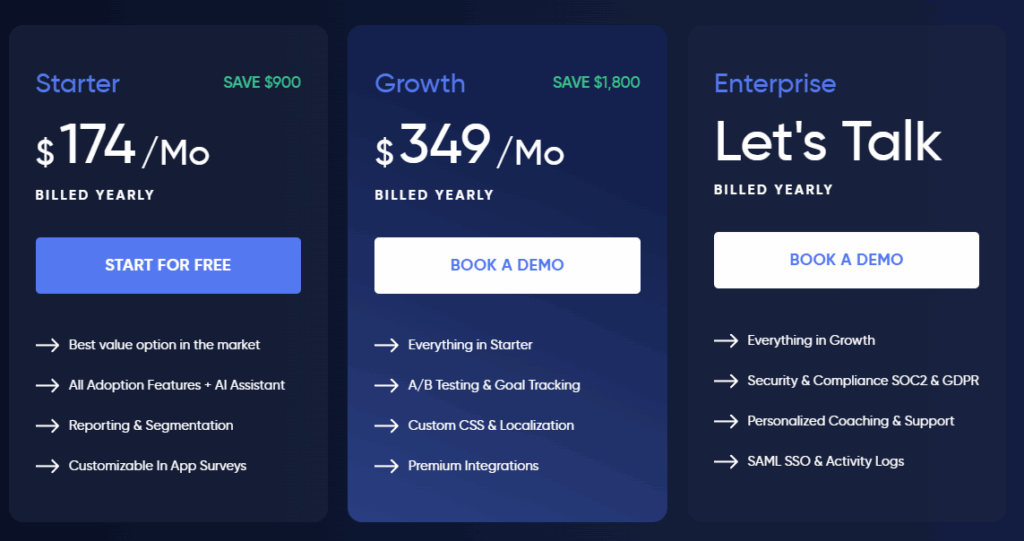
While Use Guding offers free tier, it covers only support essentials - no product tours, checklists and similar user onboarding and adoption content is included in it. Plans with product tours functionality start at 174 dollars per month (annual billing).
6. Whatfix
Whatfix is a digital adoption platform. It provides simulated, hands-on training environments plus no-code guidance and analytics. Teams use it to boost productivity, maintain compliance, and improve experiences for employees and customers.

Strengths of Whatfix
- Employee onboarding. Strong workflows and guidance across complex enterprise systems.
- Product analytics. A dedicated analytics suite to track usage and outcomes, uncommon in this category.
Limitations of Whatfix
- Complex setup for advanced features. Powerful options can take time and expertise to configure.
- Limited design flexibility. Some UI elements and guides are harder to align with strict brand standards.
- Higher cost for premium features. AI analytics and simulations often sit on upper tiers, which can strain smaller budgets.
Whatfix is best for
Large organizations standardizing employee onboarding and process guidance across complex internal applications.
Whatfix Pricing
Pricing is not listed publicly on the website.
7. Userflow
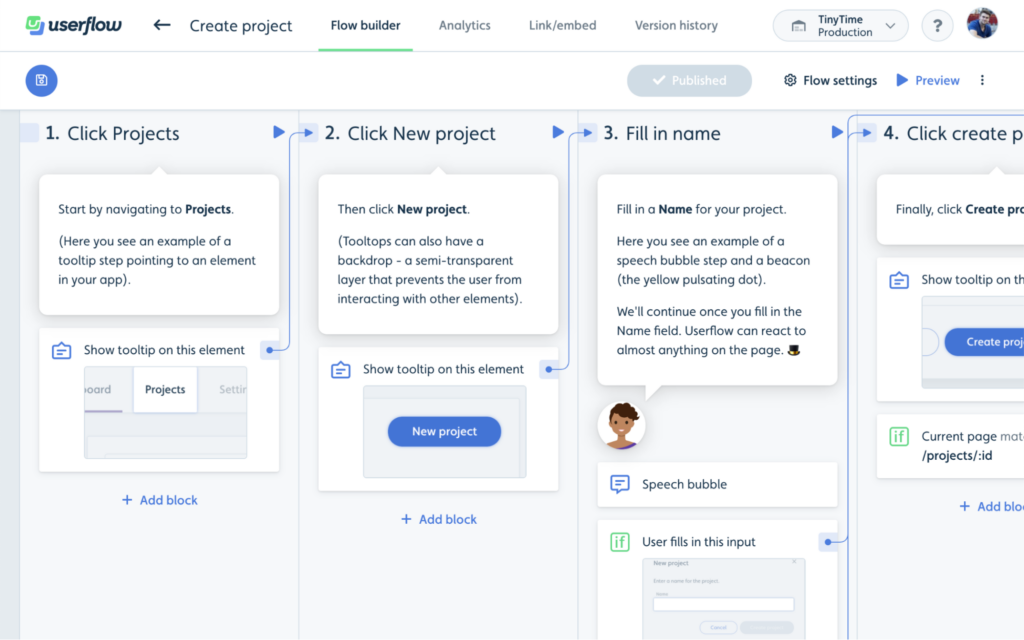
Userflow is a no-code onboarding and product adoption platform. It lets teams build personalized in-app experiences - walkthroughs, tooltips, and checklists - without engineering help. Launch self-guided flows to improve engagement and speed up onboarding.
Strengths of Userflow
- No-code setup. Create and iterate on in-app flows quickly, accessible to non-technical users.
- Personalized journeys. Show dynamic content and triggers based on user behavior for tailored onboarding.
Limitations of Userflow
- Limited integrations. Fewer native connectors than some alternatives.
- Learning curve. Advanced flows and logic can take time to master.
- Basic analytics. Reporting depth is lighter for detailed performance insights.
Userflow is best for
SaaS teams wanting fast, no-code build of personalized flows with granular triggers and conditions.
Userflow Pricing
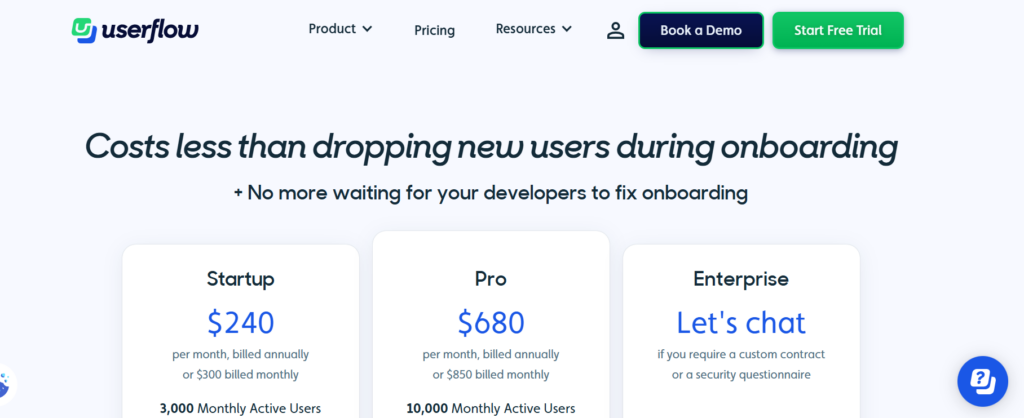
Starts at $240 for 3,000 MAUs
8. WalkMe
WalkMe is a digital adoption platform that streamlines software use with on-screen guidance and step-by-step workflows. It’s widely used for employee training across web and mobile environments.
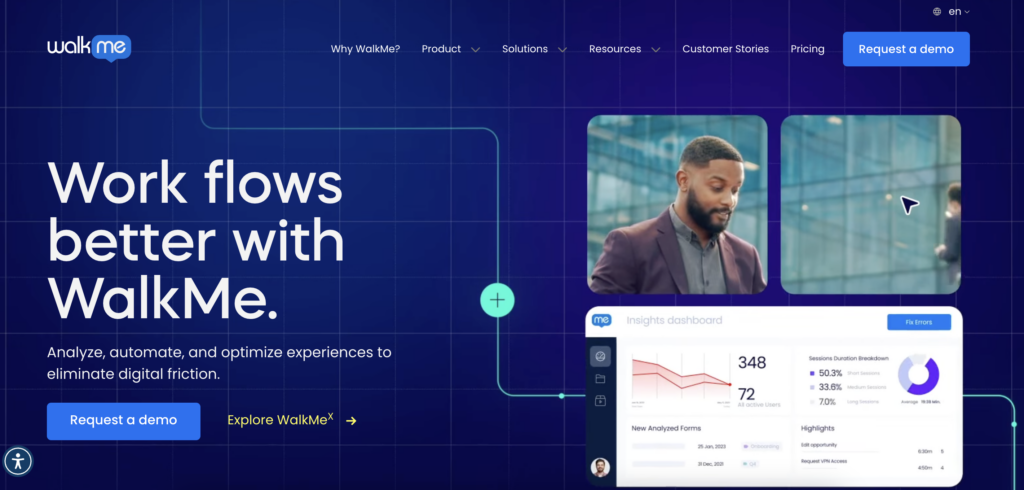
Strengths of WalkMe
- Comprehensive onboarding features. Robust, interactive guides and workflows help users learn complex software quickly.
- Personalized experiences. Tailor walkthroughs and tooltips by user behavior and role for targeted training.
Limitations fo WalkMe
- Complex implementation. Deployments can be time-consuming and may require technical expertise, especially in large stacks.
- Higher cost. Pricing can be prohibitive for smaller businesses or tight budgets.
- Limited design flexibility. Advanced branding and layout customization can feel restrictive.
WalkMe is best for
Enterprises running change management and training at scale across many systems with robust workflows and governance.
WalkMe Pricing
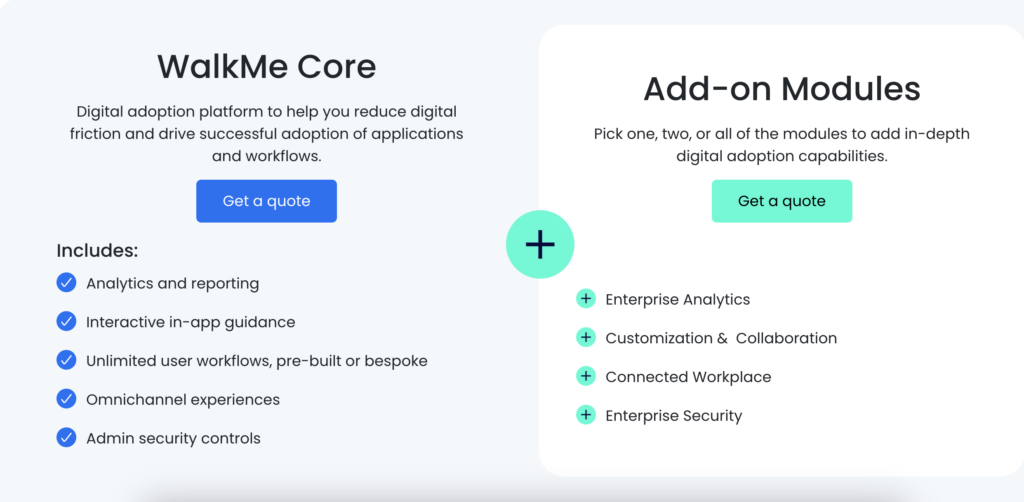
Pricing isn’t listed publicly. Many third-party reviews note that WalkMe is relatively expensive for SMBs.
9. Userlane
Userlane is a digital adoption platform built to simplify any SaaS product. It delivers real-time, in-app guidance for key processes and offers on-demand support directly inside your application.
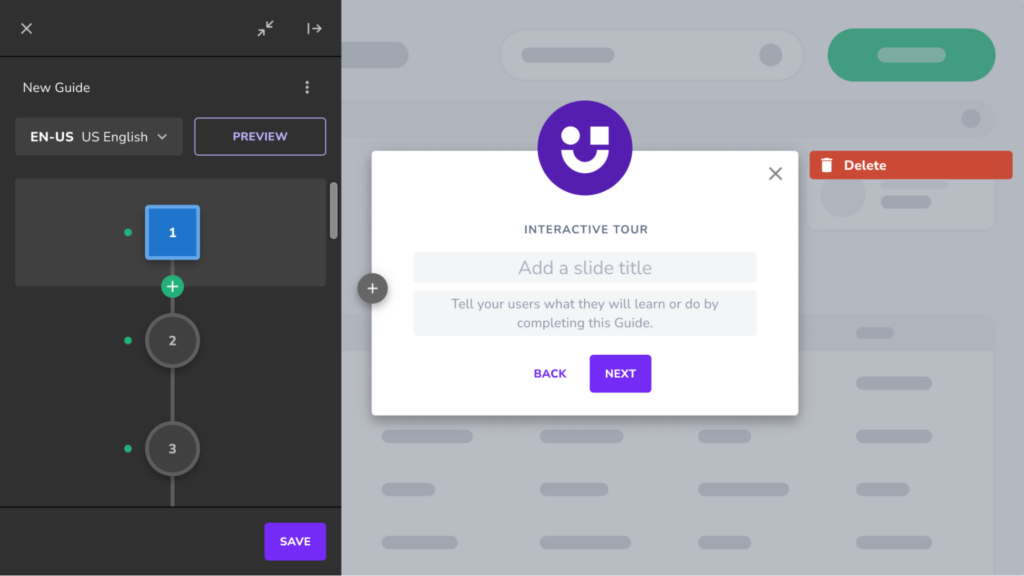
Strengths of Userlane
- Interactive onboarding. Step-by-step, interactive guides help users learn and navigate independently.
- Customization. Flexible styling and configuration to align guides with your brand and UX.
Limitations of Userlane
- Limited analytics depth. Reporting may be too basic for advanced insight needs.
- Learning curve. Non-technical teams can find setup and configuration challenging.
- Performance considerations. Some users report slowdowns in large deployments or high-traffic periods.
Userlane is best for
Companies needing step-by-step, in-app guidance embedded in SaaS UIs, with strong branding alignment.
Userlane Pricing
Pricing isn’t publicly disclosed. Contact Userlane for a quote. Sources suggest that pricing can reach up to $18,000.
10. Usetiful
Usetiful is a user onboarding and product adoption platform. It helps teams build interactive in-app guidance—tooltips, guided tours, and customizable workflows—to teach features and lift engagement.
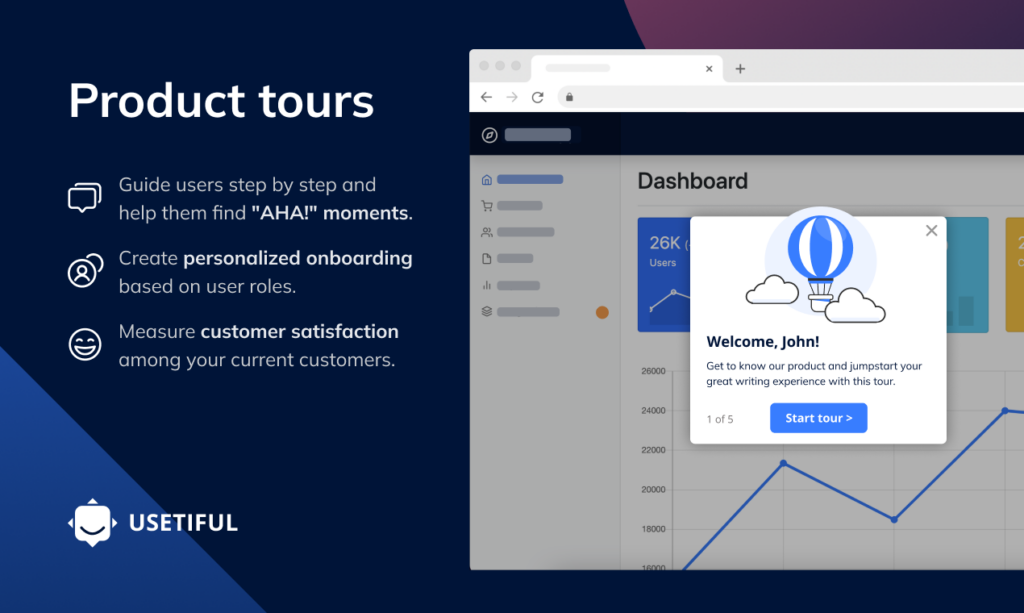
Strengths of Usetiful
- Customizable onboarding flows. Personalize journeys from the first session to drive quicker activation.
- In-app tooltips and tours. Offer step-by-step guidance so users grasp key features fast.
Limitations of Usetiful
- Limited analytics. Reporting depth is basic for detailed behavior and adoption insights.
- Manual content management. Updating and maintaining assets can be time-consuming for larger teams.
- No native A/B testing. Lacks built-in experiment capabilities for comparing onboarding strategies.
Usetiful is Best For
Startups that want straightforward tours and tooltips at lower cost, and can live without advanced analytics/testing.
Usetiful Pricing
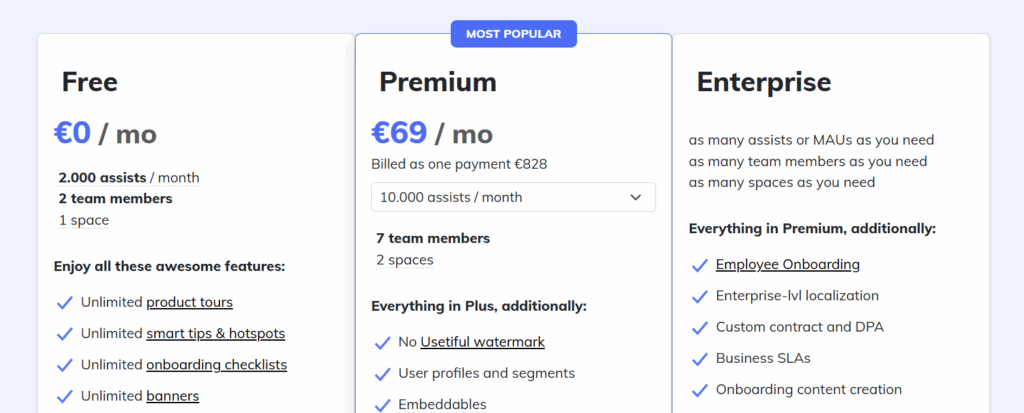
Generally positioned as cost-effective, but it omits some advanced features found in higher-tier competitors.fective, it lacks some features compared to its competitors. Explore other Usetiful alternatives here 🔍.
Wrap up: Key features of the best product tour software in 2025
Great tours are timely, contextual, and measurable. Your stack should target by behavior, render quickly, and reveal which steps drive activation and retention.
Teams also need governance. Look for role-based access, versioning, localization workflows, and privacy controls. These features scale as your audience and content grow.
- Performance first: Lightweight loaders and CDN delivery keep pages fast.
- Data trust: Clear consent, first-party events, and export to BI tools.
- Experimentation: Native A/B testing and holdouts prevent over-guidance.
Behavior-Triggered Tours and Nudges
Ideal product tour software triggers tours based on user behaviors, delivering relevant content immediately.
Advanced Segmentation and Targeting
User data-based targeting ensures onboarding efforts reach appropriate audience segments, enhancing relevance and effectiveness.
In-Depth Analytics and A/B Testing
Comprehensive analytics provide insights on user engagement and product metrics, while A/B testing enables continuous, data-driven tour improvements.
Onboarding Checklist and Knowledge Base
Self-service options cater to users who prefer independent exploration, offering accessible resources and progress-tracking checklists.
Guided Action Paths and Dynamic Content Tooltips
Dynamic content that adapts to user progress or characteristics creates a more personalized, engaging onboarding experience.
How to choose the right product tour software
Start with objectives. Define the behaviors you want to change, like setup completion, feature trial, or expansion. Map journeys and decide where guidance adds value.
Then validate fit. Pilot with a real flow, connect analytics, and confirm governance. Run a limited A/B test to check impact on activation and time to value.
While some tools favor employee training, others focus on customer onboarding. Choose the platform that aligns with your use case and compliance needs.
If you’re looking for an employee onboarding solution, Whatfix or WalkMe could suit complex internal stacks. For an all-in-one customer onboarding tool, consider Product Fruits.
We’re an all-in-one solution that offers a wide range of features at a fraction of the cost. Start a free trial today to learn how we can supercharge your onboarding flows. 📈
Further reading: Feature Launch: 6 Winning Strategies to Introduce New Features


Weekly newsletter
Get the latest releases, tips, articles, and exclusive interviews delivered to your inbox weekly—no spam!